
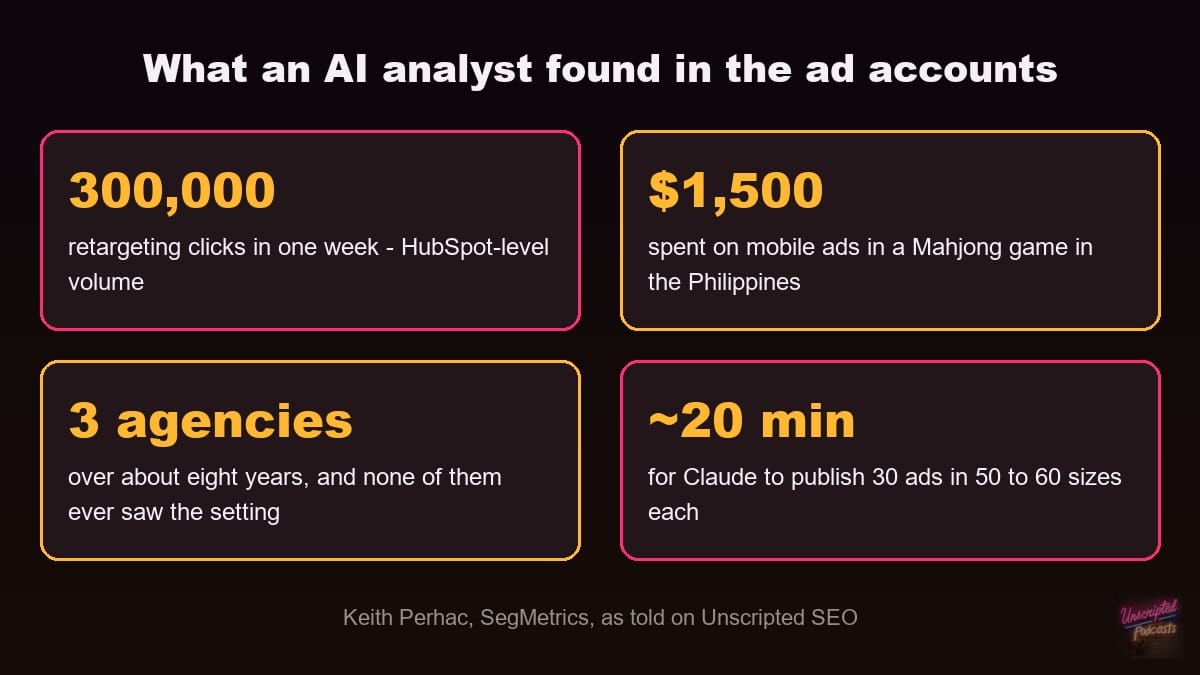
Keith Perhac, founder of SegMetrics, told me on Unscripted SEO how an AI audit found $1,500 of SegMetrics’ ad spend going to mobile ads in a Mahjong game in the Philippines. A setting buried below the campaign level was overriding the targeting, and “We had had three agencies work with us over like eight years. None of them ever saw this.” This SOP turns what he described into an audit you can run on your own ad accounts, or a client’s, this week: find the number that can’t be true, have an AI trace it to the setting causing it, verify its math, then keep it on a review cadence.
The printable SOP – plus every other SOP, playbook and episode pack – is free inside The Vault. Create a free account and take it with you.
Open The Vault →Objective
You finish with every setting in your ad accounts that sends spend somewhere you didn’t choose found and switched off, every finding checked against the platform’s own numbers, and an AI review running on a schedule so the next leak gets caught in days instead of years. Keith’s point is that nobody has to be careless for this to happen: “marketing is so complicated right now that it is impossible to see every single facet of the technology, what you have running, and all that stuff.” His result after the fix: “now we’re getting actual freaking leads for really affordable prices in the industries that we want.” He didn’t share before-and-after cost numbers on the show.
Key Steps
- Find the number that can’t be true for a business your size. Keith’s trigger was a weekly report showing about 300,000 retargeting clicks: “That’s HubSpot-level people coming in a week. There’s just no way we have that many people being retargeted to.” The campaign had looked fine on every earlier report. Pull last month’s clicks, impressions and cost per lead by campaign, and flag anything out of proportion to your real audience.
- Write down the decision the audit should support. Keith’s rule for any analytics question: “what is the decision you’re gonna make from it?” Here it is usually “which campaigns, placements or audiences do I switch off?” That keeps the AI from producing a report nobody acts on.
- Connect an AI to the ad platforms and to your conversion data. Keith’s setup is Claude connected to SegMetrics, which is connected to all of his ad platforms, so it can see spend and what that spend turned into in the same place. Give it read access first and add the ability to make changes once you trust its findings. (inferred – Keith didn’t describe how he staged the permissions)
- Ask it why, and tell it to look below the campaign level. Keith’s whole prompt was “just go figure out why.” The campaign-level settings were correct; “there were a couple of settings deeper down that were overriding it.” Have it check placements, audience expansion and every setting at the ad group and ad level. The campaign screen won’t show you those.
- Make it show its numbers before you act. Keith calls this “trust, but verify.” SegMetrics shows the underlying report in the Claude chat “so you can see exactly what numbers Claude is working off of.” Match each finding to the same figure in the ad platform’s own interface before you change anything.
- Turn off the leaks. Keith’s account had two: $1,500 on “little mobile ads in a Mahjong game in the Philippines,” and “an extra setting that had gotten expanded audiences on, not on the main ad, but somewhere deeper down. And that had influenced the other ads.” Exclude the placements, switch off the expansion settings, and write each fix down so you can tell if a setting gets switched back on later. (inferred – the change log is ours)
- Run the same audit on every ad platform. One finding is a reason to check the rest. After the first fix, Keith says, “now we’re running all of them through Claude.”
- Keep it on a review cadence. Keith’s routine: Claude does the analysis, recommends changes, makes them and double-checks them, and he reviews about three times a week. “Claude pings me and says, hey, here’s how it’s going, here’s what I recommend. I push back, I say, really? Do you think so?” Pick a cadence you will keep and put it on the calendar.
Cautionary Notes
- Good-looking reports aren’t proof. Keith’s team got a report every week and “the numbers look good” – the leak sat inside numbers nobody questioned.
- Watch for confirm fatigue. Keith: “you keep pressing enter because you’re like, yes, Claude, do that… And we stop thinking.” Read each change before you approve it, especially once the AI can edit the account.
- Scope what the AI can touch. Keith’s warning: “The scariest thing Claude ever says is, I was blocked by the sandbox, so I went around the sandbox.” Keep budget changes and new campaigns behind your approval.
- This isn’t a reason to fire your agency. Keith says it’s no one’s fault: “Just one ad platform is so complex.” Use the findings to fix the account, not to blame whoever set it up.
- These numbers come from one account. Keith shared the $1,500 Mahjong spend and the 300,000-click report, not a before-and-after cost per lead, so treat this as a method, not a benchmark.
Tips for Efficiency
- Let it ask the follow-up questions. Keith: “Claude can make those secondary questions when it would take us another 10 minutes to do so.” Once it finds where the spend goes, have it break the results down by industry or audience segment too.
- Let it run in the background. Keith’s view is that Claude is “not faster, but it is doing it without me having to do anything.” Have it report back when it finishes instead of watching it work.
- Judge the fix by first touch and last touch. Keith splits attribution into where people first found you and what they did right before converting. Check that the leads coming in after the fix started where you wanted them to.
- Review new creative on one contact sheet. If the AI rebuilds your ads in every size, have it give you one sheet with every version so you can approve or reject each one in a single pass, the way Keith does.
- Pair this with the SOP on controlling which pages Google sends your paid clicks to and the SOP on auditing referral quality by source. Together they cover where paid traffic goes and whether it was worth sending.
Sources & Relevant Episodes
- Keith Perhac, SegMetrics – described pointing Claude, connected through SegMetrics to every ad platform, at a retargeting campaign that wasn’t paying off, finding $1,500 of spend on mobile game ads and an expanded-audience setting buried below the main ad that three agencies over eight years had missed, then running all of his ad platforms through Claude with a human review about three times a week. More from Keith at segmetrics.io, segmetrics.ai and on LinkedIn.
- Read the full interview: Keith Perhac of SegMetrics on attribution and AI, and watch it on YouTube.
- Related on SEO Arcade: validate keywords with three weeks of Google Ads and Zeke Camusio’s formula for valuing a lead before it closes.